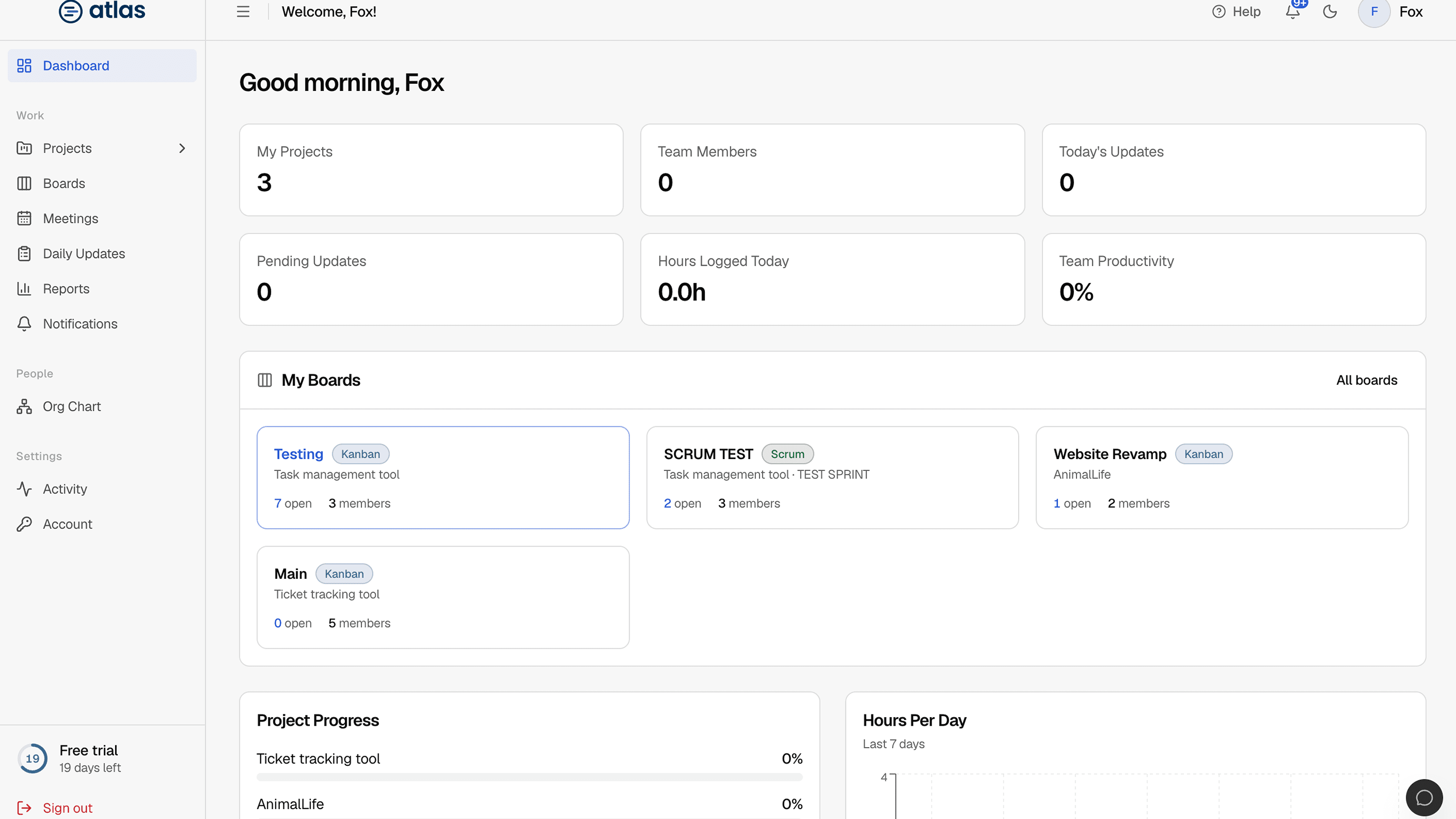
The Lead dashboard focuses on the projects you manage and the people on them. Its subtitle is "Your projects and team overview".
Summary cards
| Card | What it shows |
|---|---|
| My Projects | Projects you manage. |
| Team Members | People assigned to your projects. |
| Today's Updates | Daily updates your team has submitted today. |
| Pending Updates | Updates still missing for today. |
| Hours Logged Today | Hours your team reported today. |
| Team Productivity | Average reported progress across your team, as a percentage. |
My Boards
The boards in your projects, each with ticket counts by status so you can open the one that needs you.
Charts
- Project Progress: progress for each of your projects.
- Hours Per Day: your team's hours over the last 7 days.
- Project Status: how your projects are split across Planning, Active, On Hold and Completed.
- Team Productivity Trend: how productivity is changing over time.
Recent Team Activity
The latest changes made by people on your projects.