

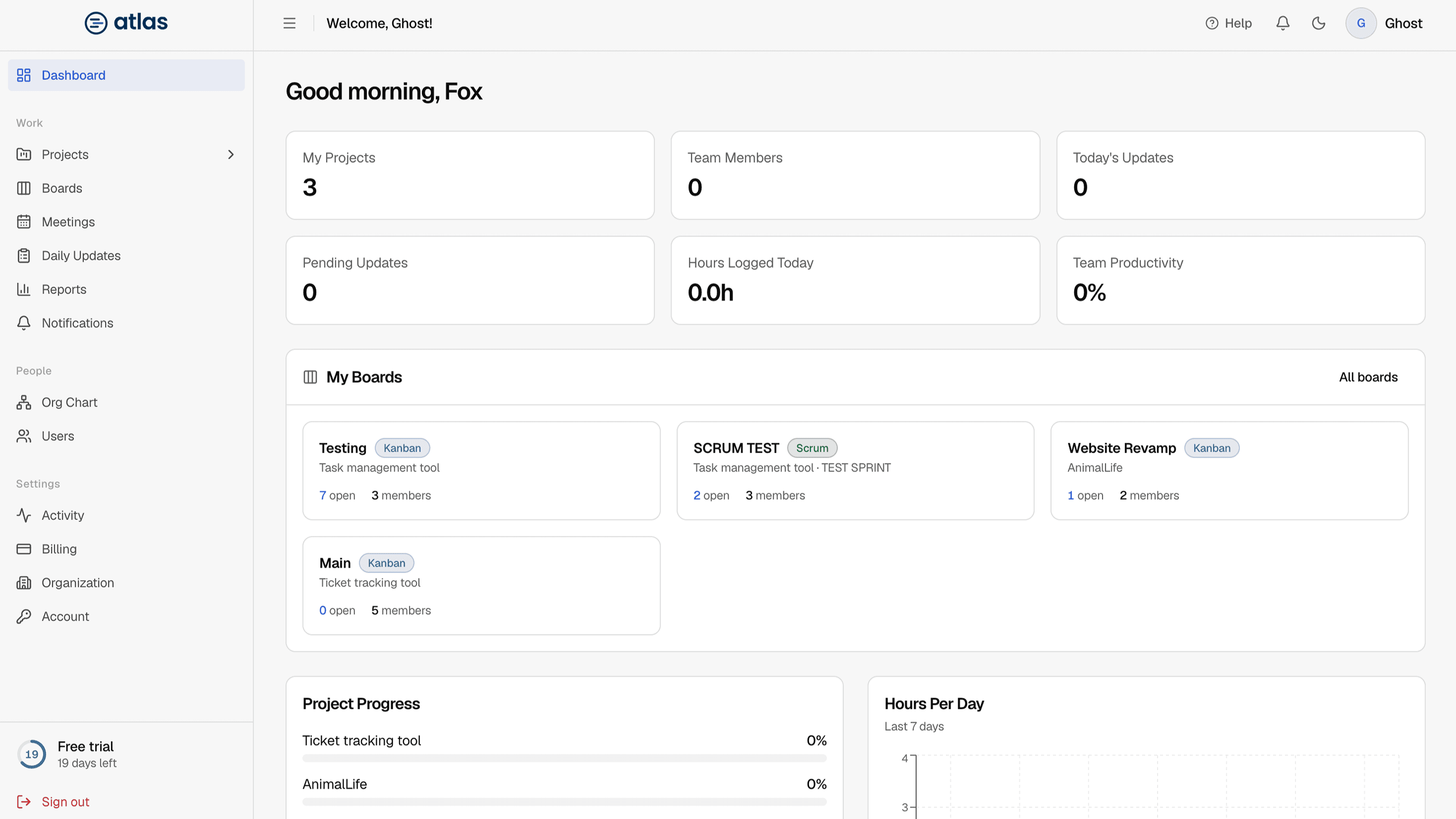
The Admin dashboard is a same-day summary of the whole organization. It greets you by name and puts what needs attention first.
Today at a glance
Four cards across the top. Each one links to a filtered view with the detail.
| Card | What it counts | Opens |
|---|---|---|
| Active Projects | Projects with the Active status. | Projects, filtered to Active |
| People Missing Updates | Unique assigned people (including Admins and Leads) who haven't submitted a daily update for at least one of their projects today. It also shows the change from yesterday, and the tooltip gives the total number of pending project updates. | Reports › Pending, for today |
| Blocked Work | Daily updates submitted today that report a blocker. | Reports › Blocked, for today |
| Hours Logged Today | Hours reported in today's daily updates. | Reports |
Needs Attention
A ranked list of projects and boards that may need a follow-up today. Each item has a severity (Critical or Warning), a short reason such as "No team assigned", "No activity in period" or "2 team members missing today's updates", and a button that takes you to the right place, such as Review project or Review standup.
Active Boards
Cards for active boards, each showing the board name, its methodology (Kanban or Scrum), the parent project, the lead, the number of open tickets and the number of members. Select Open boards to go to the Boards directory.
Project Health Overview
A table of projects for this week, sorted with the lowest health first: project, lead, status, health (for example At Risk or On Track), progress, and the main reason it needs attention. See How health and compliance are scored.
Hours, utilization and compliance
- Hours Logged: a bar chart of the last 7 days, linking to Reports.
- Member Utilization: each team member's allocation across the projects they're assigned to.
- Update Compliance: the trend of how many people submit their daily updates. Until people start submitting, it shows "No update data yet" with a shortcut to review pending updates. See Update compliance.
Recent Activity
A timestamped feed of the latest changes across the organization, such as a member being updated or a ticket created. Expand Details on an entry to see what changed. The full history is in the Activity log.