

There are two ways to look at a ticket:
- The drawer: select a card on a board to open it on the side without leaving the board. It shows the status, assignee, story points, epic, description and the discussion tabs. Choose Open full page for everything else.
- The ticket page: the full view, at
/projects/…/boards/…/tickets/…, so you can share a link to it.
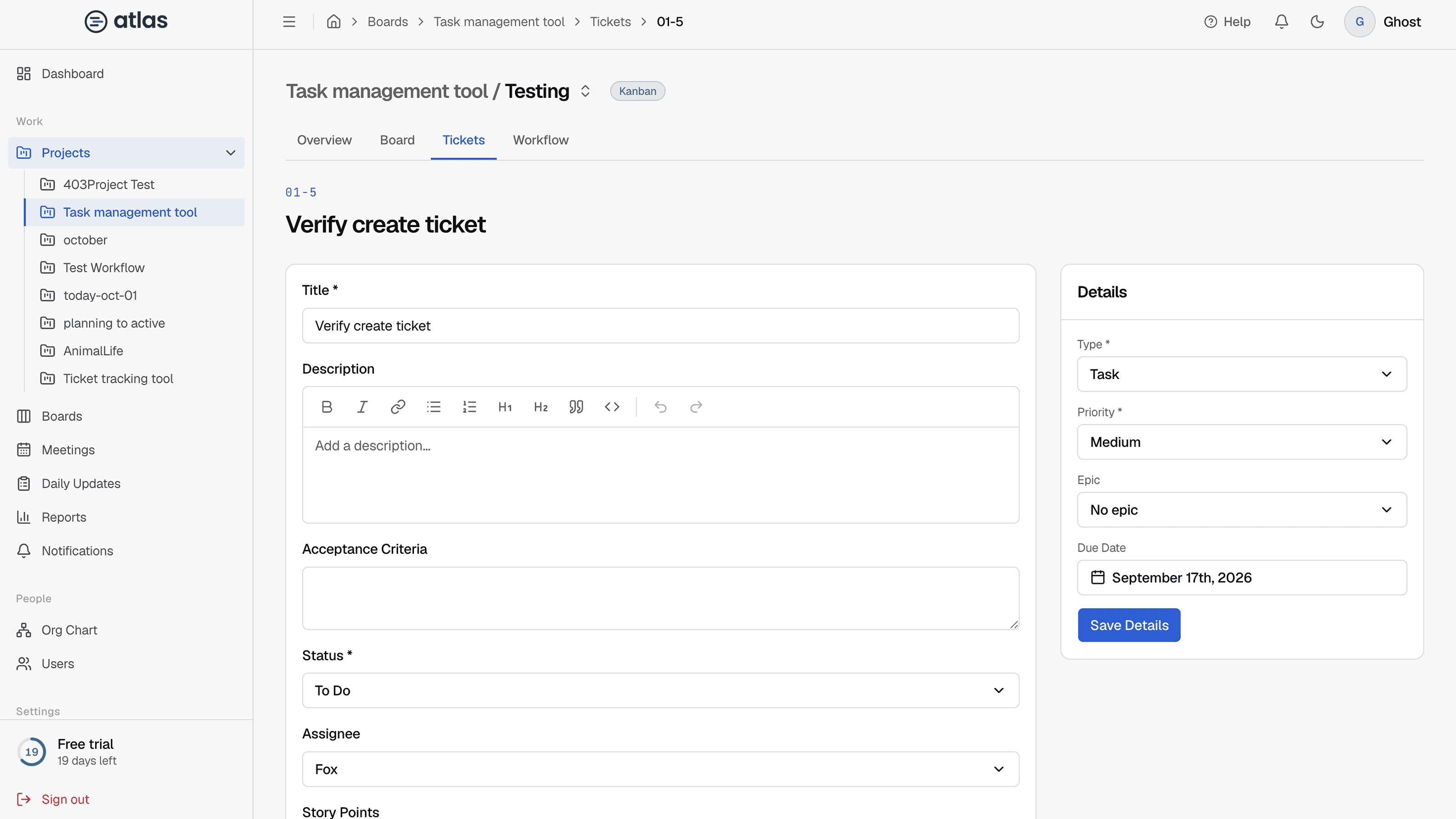
Header
The ticket key above the title. The breadcrumb links back to the board's tickets and, for a subtask, to its parent.
Description card
Managers (Admins and the project manager) can edit the Title, Description, Acceptance Criteria, Status, Assignee and Story Points, then Save Changes. The assignee can edit only the description and the status.
Details card
Type, Priority, Epic (choose an epic or "No epic"; epics can't belong to another epic) and Due Date, saved with Save Details. A subtask's type can't be changed and it links to its Parent.
Epics
An epic groups related stories, tasks and bugs. Link a ticket to an epic from its Details card. The epic's page lists everything linked to it under Linked Work Items, and boards can be filtered by epic.
Subtasks
Break a ticket into smaller pieces with Add Subtask: enter a Title, and optionally a Description, Priority and Assignee. Progress shows on the parent's card.
- Subtasks stay on the same board as their parent.
- A subtask can't have subtasks of its own.
Discussion
The Comments, Activity and Work tabs each show a count. See Comments, activity and attachments and Log work on a ticket.