

Admins and the project manager can create tickets on any board in the project. There are three ways to do it.
Create a ticket with the dialog
- 1
Open the board and select New Ticket
- 2
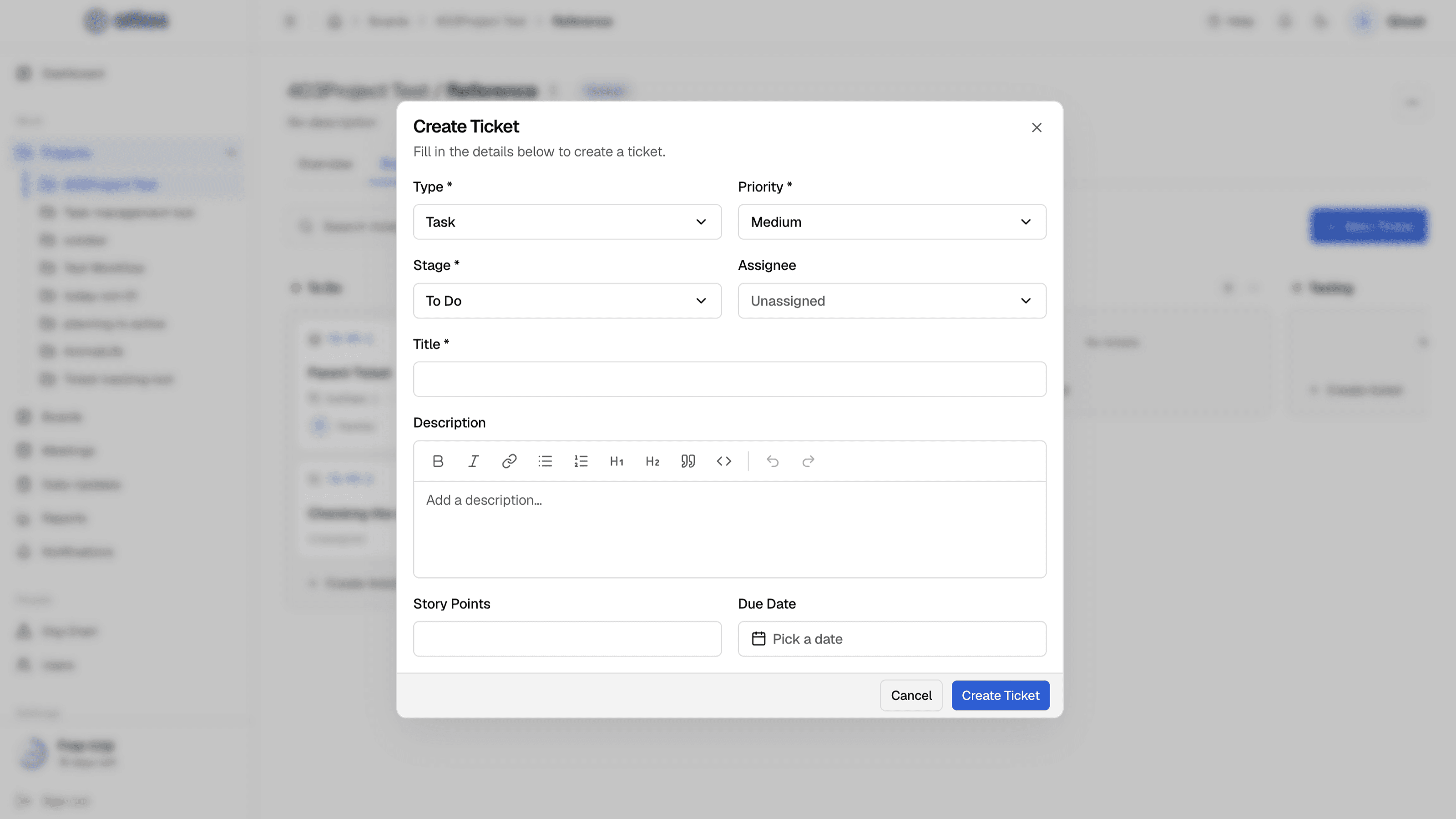
Fill in the fields
Only the title is required. Everything else can be set later on the ticket page.
- 3
Select Create Ticket
The ticket gets the next key for the project, for example TS-004-13.
| Field | Required | Details |
|---|---|---|
| Type | Optional | Epic, Story, Task (the default) or Bug. Subtasks are created from their parent ticket. |
| Priority | Optional | Critical, High, Medium (the default) or Low. |
| Stage | Optional | Defaults to the board's first column. |
| Assignee | Optional | Unassigned by default. Only board members can be assigned. |
| Title | Required | A short summary. |
| Description | Optional | Rich text: bold, italic, links, bulleted and numbered lists, headings (H1, H2), quotes and code blocks, with undo and redo. Links must start with http://, https:// or mailto:, or be relative links. |
| Story Points | Optional | A whole number, 0 or more. |
| Due Date | Optional | On a Scrum board the due date must fall inside the ticket's sprint. |
Quick-create in a column
On a Kanban board, type a title into the quick-create box at the bottom of a column and press Enter. A Task is created in that column. Press Esc to cancel.
Quick-create on a sprint board
On a Scrum board's Board tab, press C (when you're not typing in a field) to open Create ticket. The new Task is added straight to the active sprint.
The Tickets tab
Every board has a Tickets tab: a table of all its tickets with Key, Title, Type, Status, Priority and Assignee. Select a row to open the ticket.
Deleting tickets
Tickets can't be deleted individually. Move unwanted tickets to a suitable stage, or ask an Admin to delete the whole board if it's no longer needed.