

The header
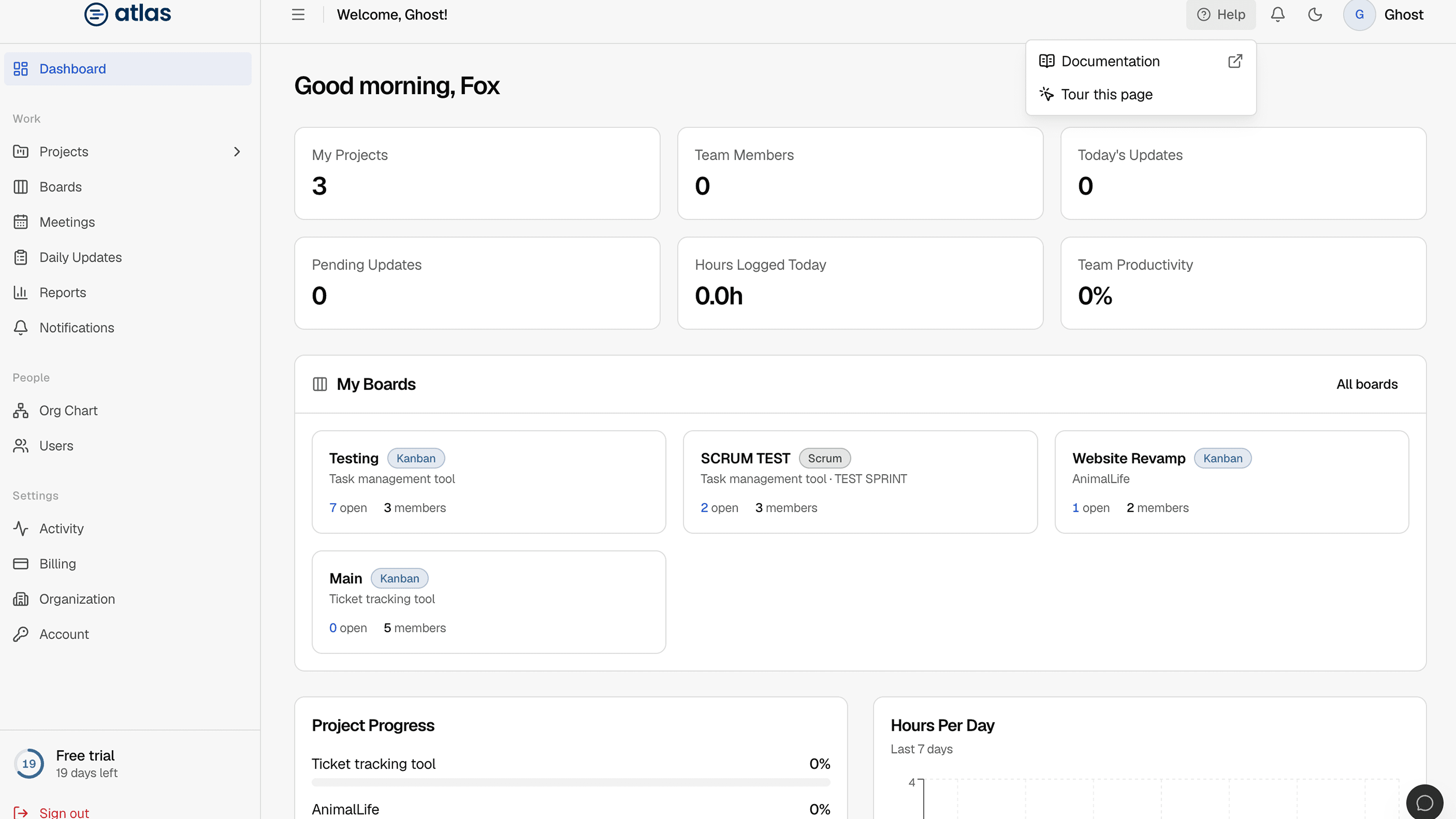
Every signed-in page shares a header. From left to right:
| Element | What it does |
|---|---|
| Sidebar toggle | Collapses the sidebar to icons. Shortcut: Ctrl + B (⌘ + B on Mac). |
| Welcome, name and role badge | Shows who is signed in and their role. |
| Help | Opens Check the manual (these docs, for the page you're on) and Tour this page. |
| Notification bell | Shows unread notifications. See Notifications. |
| Theme toggle (moon/sun) | Switches between light and dark mode. |
| Avatar menu | Your name, email and role, plus Account, Interactive Guide and Sign out. |
The sidebar
The sidebar groups pages into four sections. You only see the items your role allows.
| Group | Items | Who sees them |
|---|---|---|
| Overview | Dashboard | Everyone. The content depends on your role. |
| Work | Projects, Boards, Meetings, Daily Updates, Reports, Notifications | Everyone |
| User | Org Chart | Everyone |
| User | Users | Admins |
| System | Activity | Admins and Leads |
| System | Billing, Organization | Admins |
| System | Account | Everyone |
Sign out is pinned to the bottom of the sidebar.
Your boards in the sidebar
Under Boards, the sidebar lists the projects and boards you belong to so you can jump straight into a board. On board pages, a project and board switcher lets you hop between boards and shows a Recent list. Recent boards are remembered in your browser only.
Light and dark mode
Select the moon or sun icon in the header. Atlas follows your operating system's setting until you choose one. These docs have the same toggle.
Getting help
- Help › Documentation opens these docs in a new tab, on the page that matches where you are.
- Help › Tour this page starts the guided tour for the current page. If a page has no tour, the option is greyed out.
- Help › Support opens the Support page to contact the Atlas team.
- Avatar › Interactive Guide lists every tour available to you. See Interactive guide and tours.