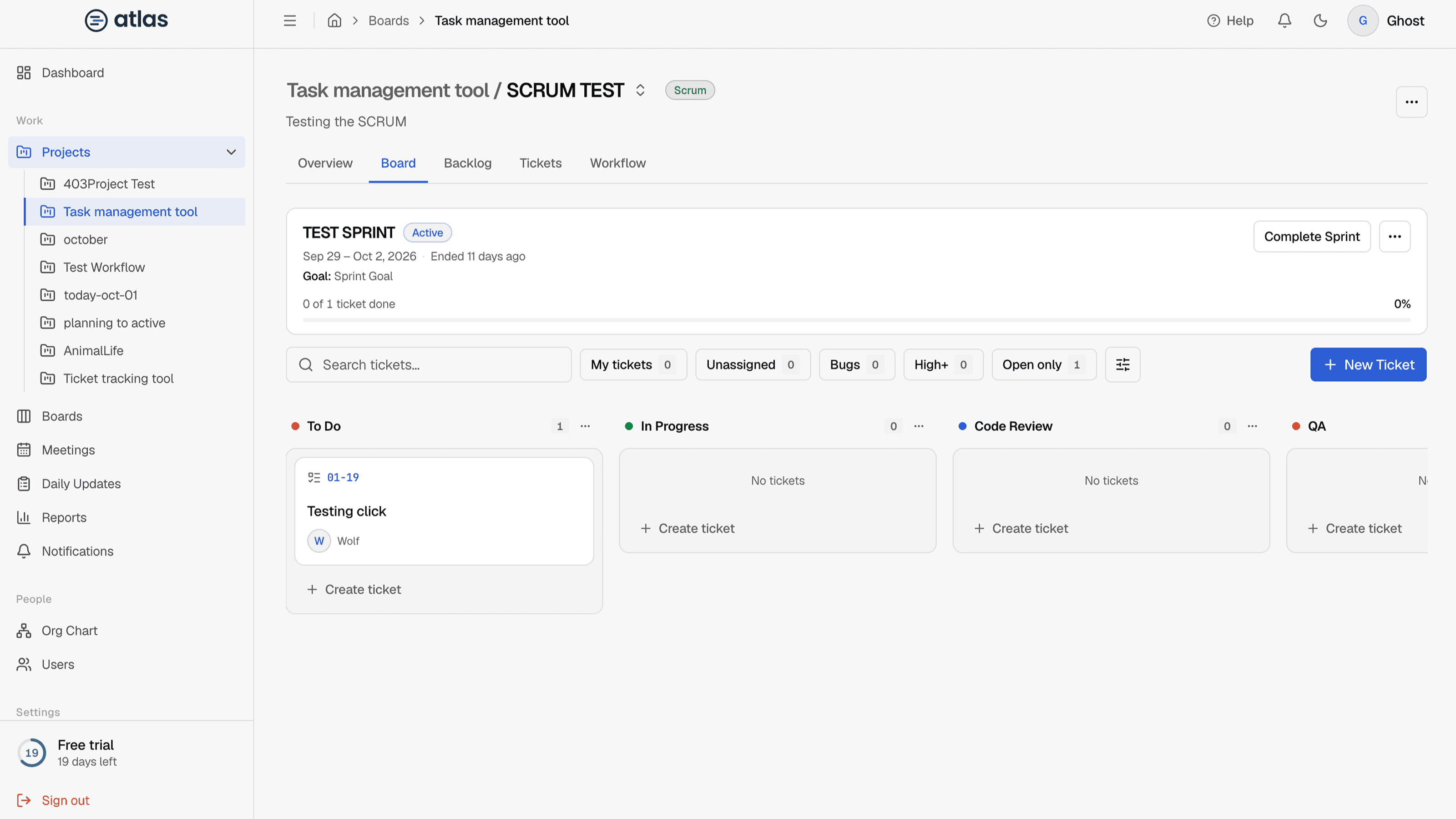
A Scrum board plans work in sprints: fixed periods with a goal. Tickets wait in the backlog until they're planned into a sprint. To make a board use Scrum, turn on Use Scrum when you create or edit it. See Switch between Kanban and Scrum.
Tabs on a Scrum board
| Tab | What it's for |
|---|---|
| Overview | KPIs and insights, including Sprint progress. |
| Board | The active sprint's tickets in workflow columns. Works like a Kanban board. |
| Backlog | Plan sprints: prioritize and estimate the backlog, and create, start and complete sprints. |
| Tickets | Every ticket on the board in a table. |
| Workflow | The board's stages. Admins and the project manager only. |
When you open a Scrum board, Atlas takes you to Board if a sprint is active, otherwise to Backlog.
The sprint board
The Board tab shows only the active sprint. Compared with a Kanban board:
- The quick filters are My Tickets, Unassigned, Blocked and High+.
- Press C to create a Task directly in the active sprint.
- A header shows the sprint name, dates, goal and progress. See Track sprint progress.