

Every project has at least one board; the first one is created with the project. Admins and the project manager can add more, for example one per team or workstream.
Create a board
- 1
Open the project's boards
Open the project and choose Open boards, then + New Board.
- 2
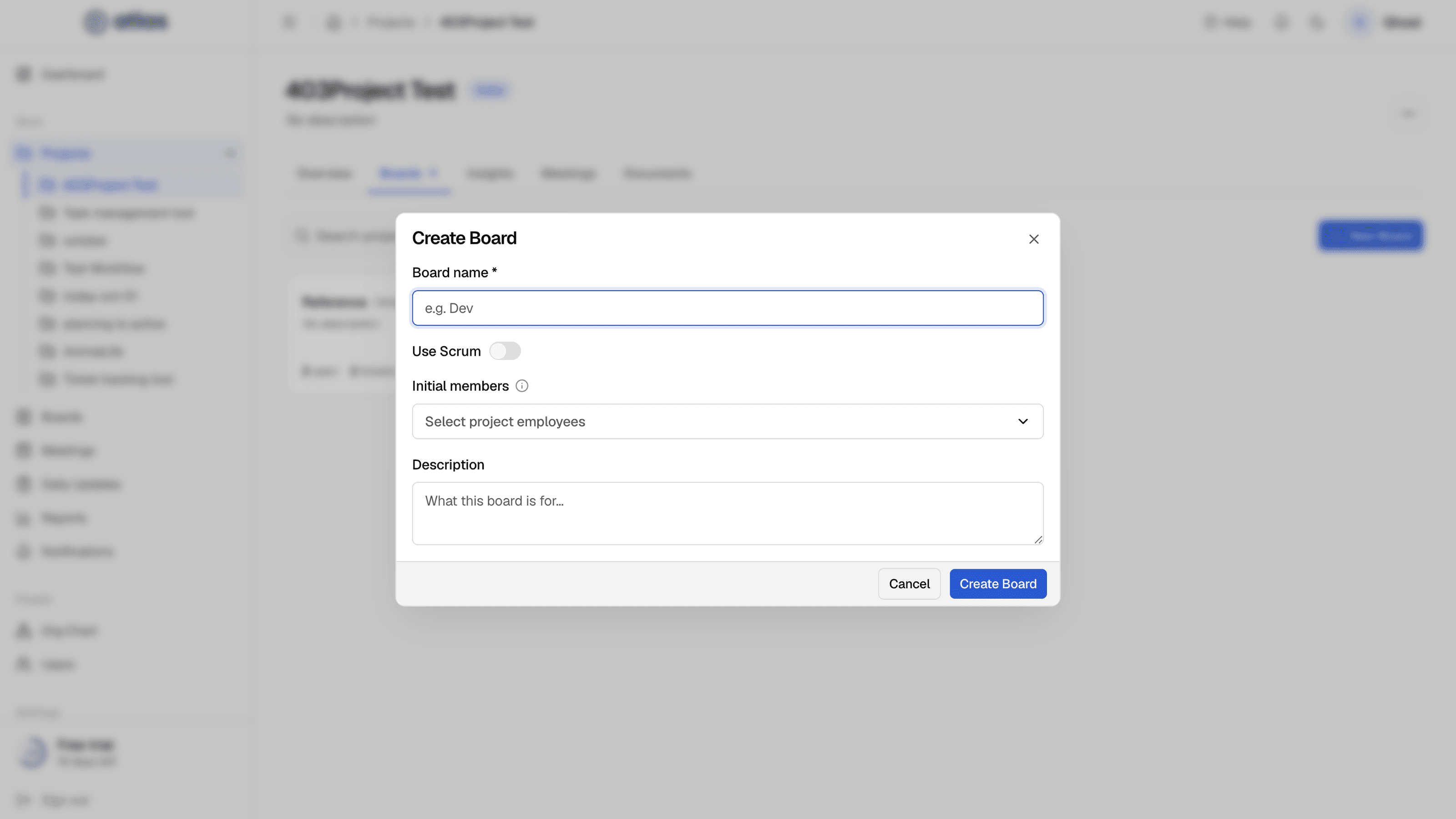
Fill in the form and select Create Board
| Field | Required | Details |
|---|---|---|
| Board name | Required | For example, Dev. Must be unique among the project's active boards. |
| Use Scrum | Optional | Off for Kanban (the default), on for Scrum. You can change it later. |
| Initial members | Optional | Only people already on the project team can be added. |
| Description | Optional | What this board is for. |
A new board comes with a default workflow, which you can change.
Edit a board
From the board card's menu choose Edit to change the Board name, Description and Use Scrum.
Switch between Kanban and Scrum
You can turn Scrum on or off at any time. Atlas moves the tickets for you:
- Kanban → Scrum: every ticket moves into the backlog, ready for sprint planning.
- Scrum → Kanban: backlog tickets go to To Do, tickets in a sprint keep their current status, and the active sprint is closed.
The default board
A project's first board is its default board. If you archive the default board, the oldest remaining active board becomes the default.
Archive, restore and delete
| Action | Who | What happens |
|---|---|---|
| Archive | Admins, project manager | The board becomes read-only. A project must keep at least one active board, so you can't archive the last one. |
| Restore | Admins, project manager | The board becomes active again. Blocked if another active board in the project already uses its name, or if the project is archived. |
| Delete | Admins only | The board, its tickets and its sprints are removed from active views. The data is kept. If the board has tickets, the dialog shows how many and links to View tickets first. |