

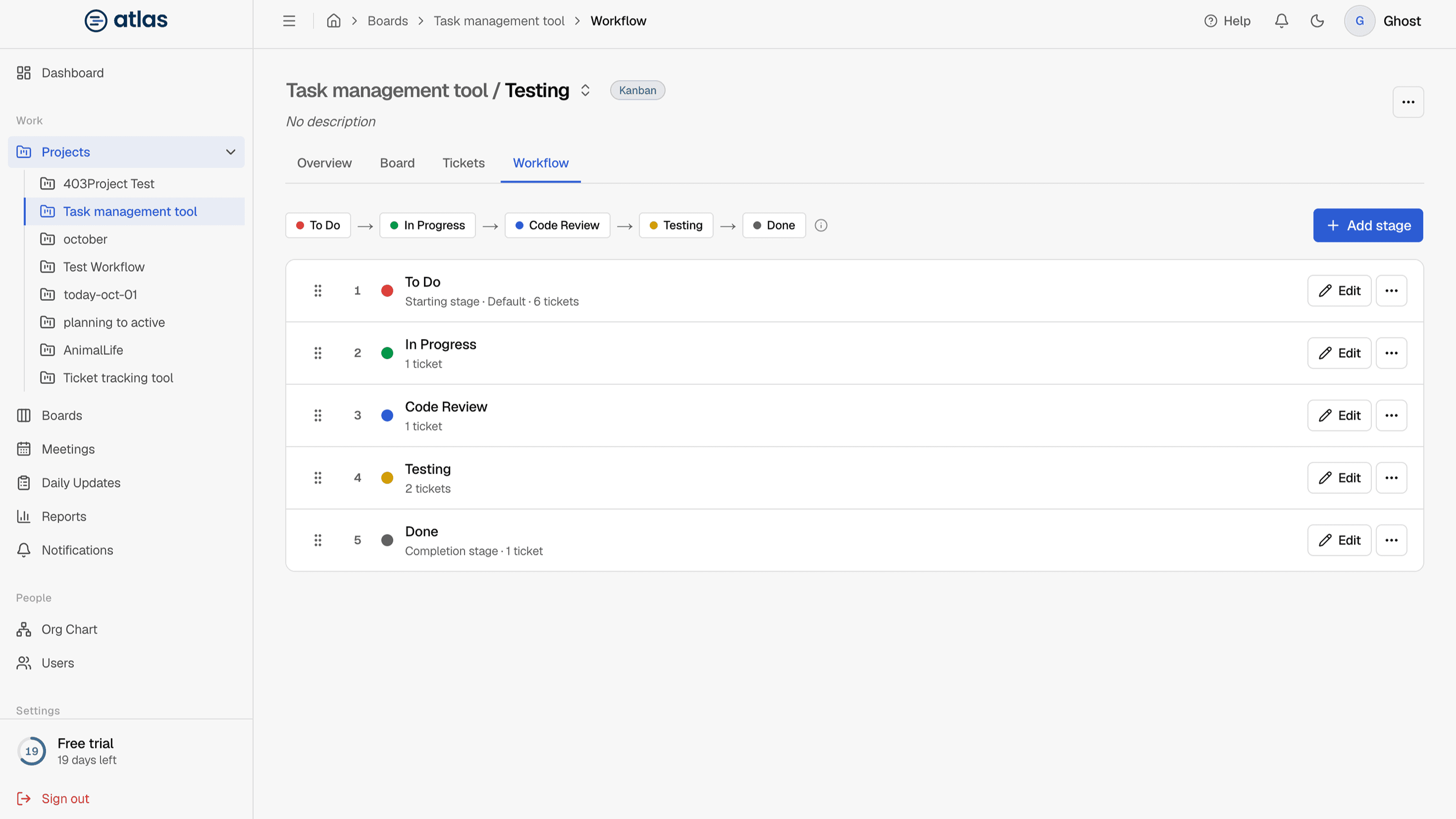
A workflow is the ordered list of stages a board's tickets move through. Each board has its own. The stages become the board's columns, the ticket status options and the status breakdowns in reports. Only Admins and the project manager see the Workflow tab.
Default stages
| Methodology | Stages |
|---|---|
| Kanban | To Do → In Progress → Code Review → Testing → Done |
| Scrum | To Do → In Progress → Code Review → QA → Done |
To Do is the default starting stage and Done is the completion stage.
Add or edit a stage
| Field | Required | Details |
|---|---|---|
| Stage name | Required | Up to 40 characters. Must be unique on the board (case doesn't matter). |
| Category | Required | Backlog, To Do, In Progress, Review, Testing or Done. Used for reporting. |
| Column color | Optional | One of 6 preset colors. |
| Completed stage | Optional | Tickets here count as done. Only one stage can be the completion stage; marking a new one replaces the previous one. |
| Default stage for new tickets | Optional | Edit only. New tickets start in this column. |
A live preview shows how the column will look.
Reorder stages
Drag a stage row by its handle, or use Move to position from the row's menu.
Delete a stage
- At least one stage must remain.
- You can't delete the default starting stage. Choose another default stage first.
- You can't delete the completion stage. Mark another stage as completed first.
- If the stage has tickets, choose a stage in Move tickets to, then Move tickets and delete.
Transitions
Atlas doesn't restrict transitions: a ticket can move from any stage to any other. Keep the stage order meaningful so the board reads left to right.