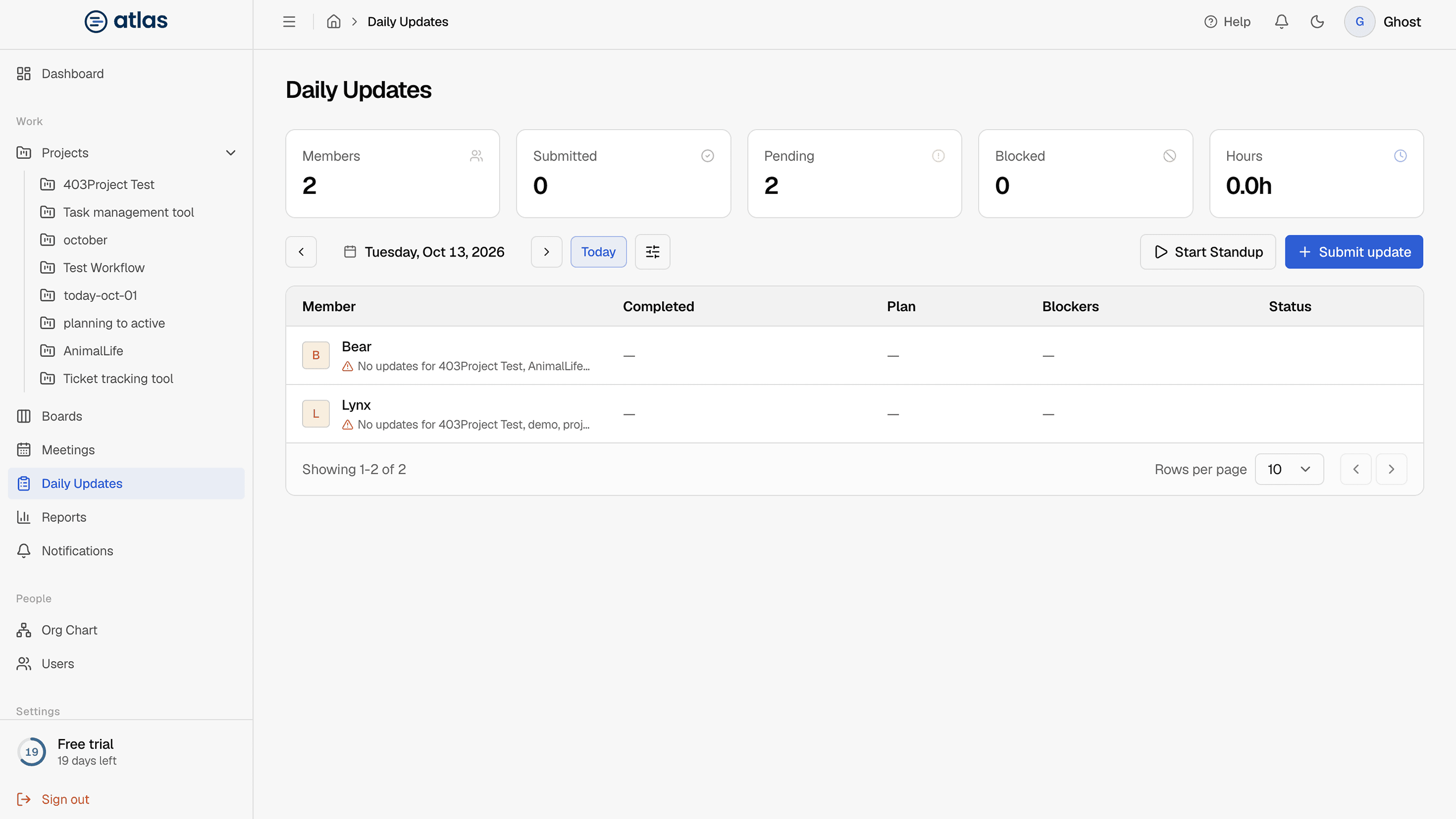
SidebarDaily Updates is one page for everyone. What you see depends on your role:
- Admins see the full standup board for the organization, including Start Standup.
- Leads and Members see the updates they're allowed to see, such as their own and their projects'.
Choose a date
Use the previous and next arrows, the date picker, or Today. The date is kept in the address, so you can share a link to a specific day.
Summary
Cards for Members, Submitted, Pending, Blocked and Hours for the selected day.
Filter
Search team members by name, and filter by Member and Project.
The updates table
One row per person: Member, Completed, Plan, Blockers and status. Rows are sorted Blocked first, then Pending, then Submitted, so problems come first.
Projects a person hasn't reported on yet are listed under their name, marked with a warning icon. Select a project name to open it.