

A daily update says what you worked on today, how long you spent on each project, what's blocking you and what you'll do tomorrow. Everyone submits one per working day.
Submit today's update
- 1
Open the form
SidebarDaily Updates+ Submit Update
- 2
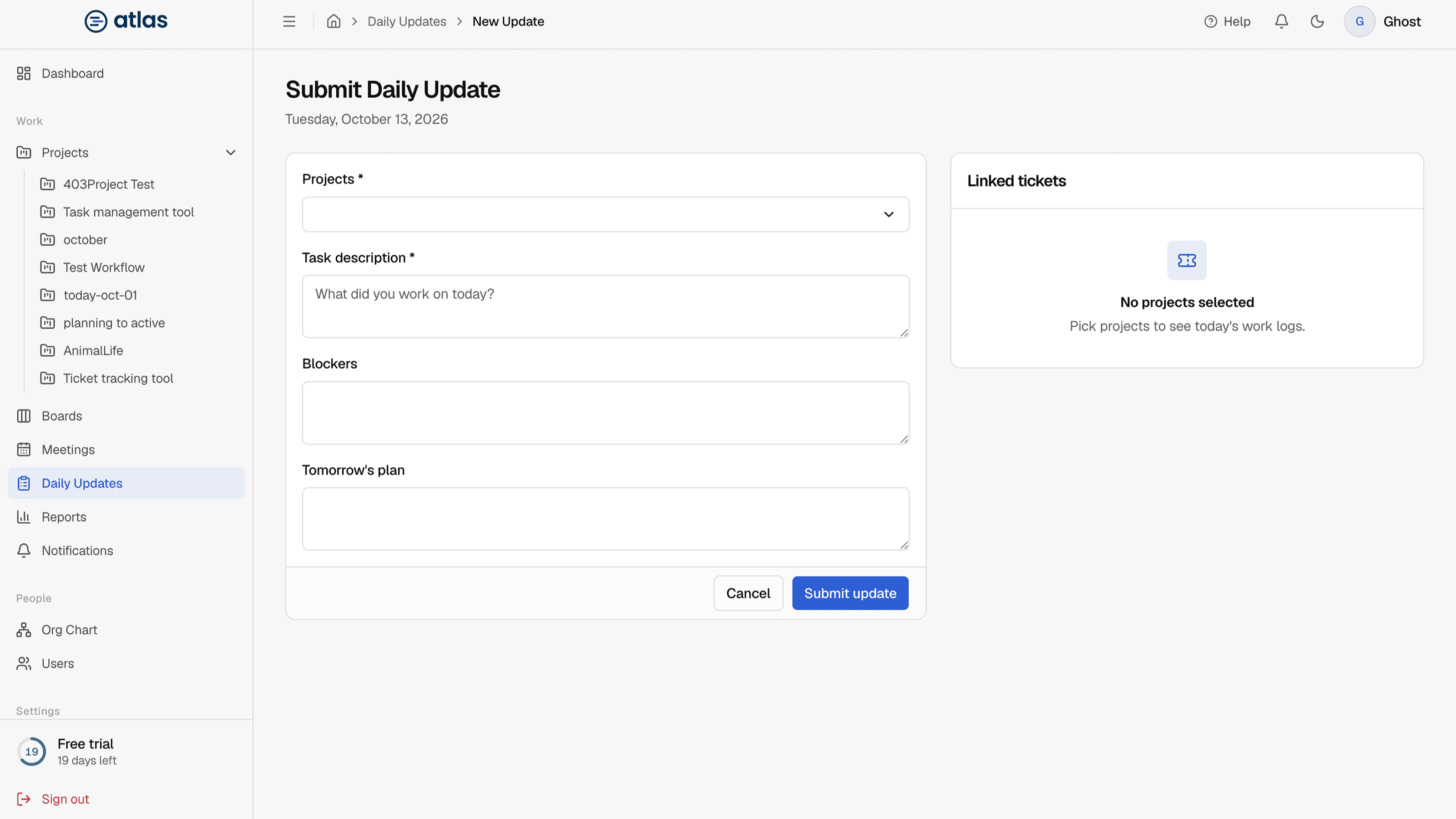
Choose every project you worked on today
Then enter the hours for each one.
- 3
Describe your work
Fill in the task description, and optionally blockers and tomorrow's plan.
- 4
Submit
Atlas saves one update per project. Each project's manager is notified.
| Field | Required | Details |
|---|---|---|
| Projects | Required | One or more of your projects. |
| Hours (per project) | Required | 0.5 to 24 for each selected project, in steps of 0.5. The total across projects can't be more than 24. |
| Task Description | Required | “Describe what you worked on today...” |
| Blockers | Optional | Anything that stops you. Filling this in marks the update as Blocked. |
| Tomorrow's Plan | Optional | What you'll work on next. |
Use hours from your ticket work logs
The Linked tickets panel next to the form lists today's work logs, grouped by board. Select Use logged hours to fill in that project's hours from your work logs. You can still change the number afterwards. The tickets you logged time on are attached to the update, so reviewers can see exactly what you worked on.
Status
You don't pick a status. A new update is In Progress, or Blocked if you filled in Blockers. Approval is tracked separately. See Edit, approve and delete updates.