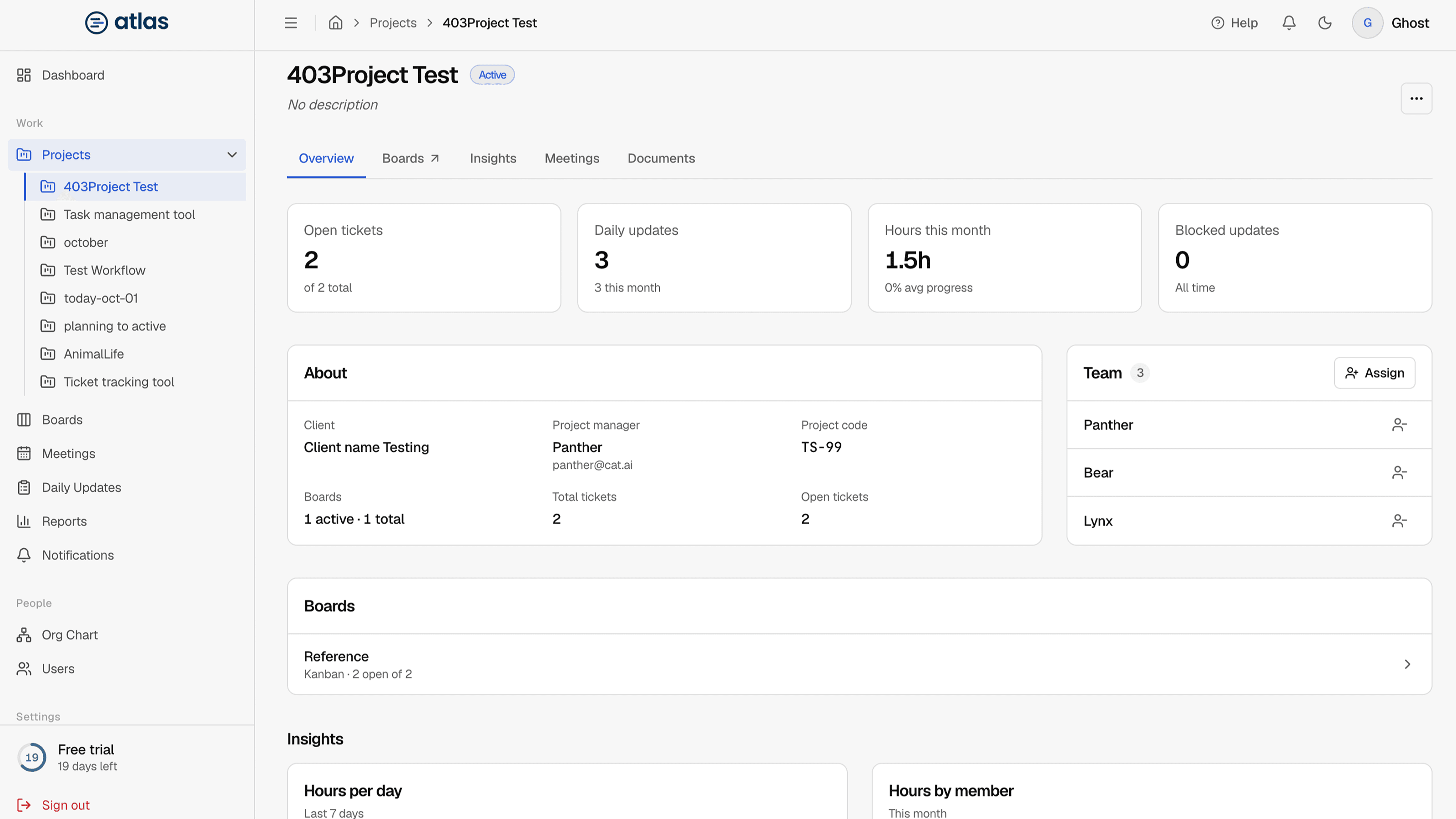
Select a project's name in the Projects list to open its page. The navigation at the top jumps between four sections.
Overview
Summary cards for Open Tickets, Daily Updates, Reported Hours and Team Members (with the project manager's name), followed by the work on each active board. Use Open boards to see all of the project's boards.
Team
The people on the project. Admins and Leads can assign people to the project and remove them. Removing someone notifies them.
Insights
| Metric or chart | Shows |
|---|---|
| Reported Hours | Hours reported in daily updates for this project. |
| Avg Reported Progress | Average progress across updates. |
| Updates This Month | Daily updates submitted this month. |
| Blocked Updates | Updates that reported a blocker. |
| Hours Logged Per Day | The last 7 days. |
| Hours by Team Member | This month. |
| Update Status Mix | How updates break down by status. |
| Progress Trend | Average progress over time. |
Meetings
The project's meetings, with their own filters. You can schedule a meeting from here as well. See Schedule a meeting.
Project actions
Admins and the project manager see an actions menu with Edit, Archive Project and Delete Project. See Create and manage projects.